PROJECT NOTES
PublishedSecureDesk
Multi-tenant support application
A company support portal connecting client requests, scoped team access and private attachments in one auditable workflow.
- Project type
- Independent application
- My contribution
- Concept, design & testing
PROJECT AT A GLANCE
The idea and the experience.
Who it is for
Companies managing client support and shared project requests.
The problem explored
Keep ownership, progress and the client's final decision together in one request history.
What it demonstrates
- Client-to-staff ticket workflow
- Conversation and decision history
- Company and project context
A CLOSER LOOK
Inside the experience.
Select a screenshot to see the details.
THE TECHNOLOGY
- Next.js
- React
- TypeScript
- Supabase
- PostgreSQL
- Row-level security
Project overview
SecureDesk is a company support portal built around a clear request lifecycle. It brings reviewed access, company and project context, ticket conversations and private attachments into one workspace.
An account-free interactive walkthrough lets visitors explore a separate fictional workspace. Real company access requires an approved account and the appropriate company permissions.
My contribution
- Concept: the support portal idea and the relationship between client requests, team responsibilities and decisions.
- Design: the visual direction and presentation of the support workflow.
- Testing: review and testing of the user experience as it developed.
These describe my contribution; the separate technical and security sections explain the application's behavior and recorded evidence.
The product challenge
A support request needs more than a status label. The client needs to understand what happens next, staff need a clear owner and company context, and the final decision must stay with the person who requested help. SecureDesk brings these responsibilities into a single request history while keeping company access separate from sign-in.
A complete support workflow
Users verify their email and request access. Account approval and company membership determine when they can enter a workspace. Clients open tickets and follow the conversation. Staff work within assigned company and ticket scopes, update progress and propose a solution. The original client can accept that solution, or request a continuation for the same problem within the review window.
Project proposals follow a separate review and administrative decision process. Comments, status changes and administrative decisions retain their context in the history.
Permissions beyond the interface
Client, Staff, Organization Admin and SuperAdmin responsibilities have distinct boundaries. Server checks and PostgreSQL row-level security enforce the company and ticket access model. Private file downloads check the current user's access rather than relying on a visible link alone.
Attachments use file validation, private Storage and controlled upload and download paths. The UI's blue radar is decorative presentation artwork, not a live security monitoring feature.
Validation in the private demo
The agreed checks covered role and company boundaries, ticket and proposal lifecycles, private file access, scheduled maintenance and isolated backup recovery. Recovery was checked in temporary isolated environments, with the live database preserved.
These results describe the reviewed private demo scope. They are not a claim of security certification or a public production launch.
Try the interactive demo
The additional /demo page uses fictional people, tickets and project details. Open a sample request or create a fictional ticket, continue as Staff to assign and resolve it, then return to Client to accept the solution. Conversation and event history stay visible after closure.
Projects and People & access views explain the company context. Changes stay in the current page and reset on reload or with Reset demo. This walkthrough does not create real accounts, upload files or change the live company database.
Inside the public walkthrough
The gallery pairs the application's introduction with three actual captures of the public demo, taken in October 2026:
- A complete ticket journey: a sample request is assigned to Staff, moves into work, receives a proposed solution and is closed after Client acceptance. Its conversation and expanded event history remain visible.
- People & access: fictional Client, Staff and Organization Admin profiles explain distinct responsibilities within Northstar Studio.
- Project context & attachments: a sample project connects an approved proposal, company scope and an expandable handover checklist.
These are product walkthrough screenshots with fictional data. The role selector illustrates responsibilities; it does not grant real permissions. The sample checklist illustrates the file area without uploading or retrieving a private attachment. The separate security assessment explains the documented authorization and file-handling checks.
Technology and presentation
Next.js, React and TypeScript provide the application interface and server routes. Supabase supplies authentication, PostgreSQL and private Storage, with row-level security in the database.
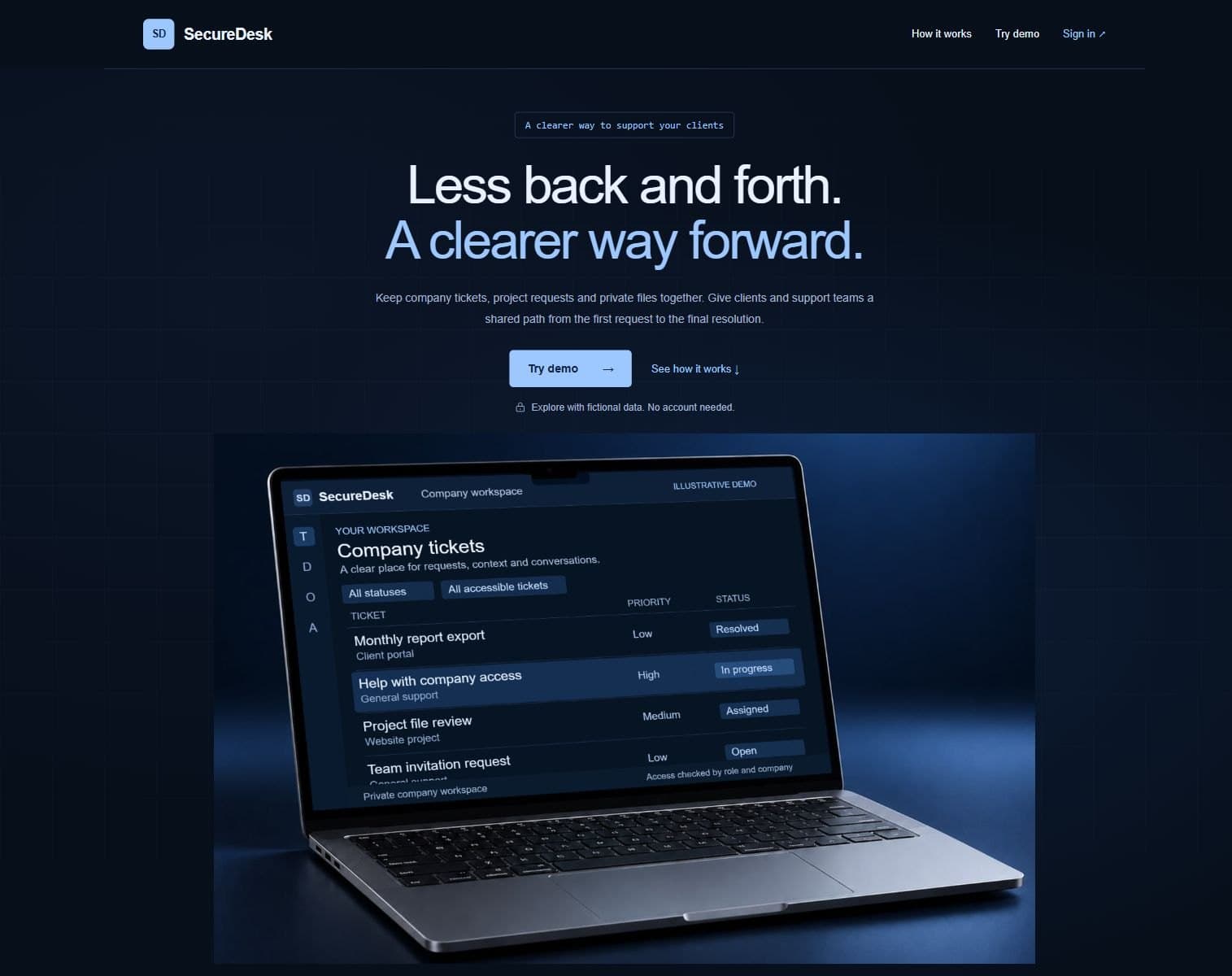
The introductory page explains the product before sign-in. A photographic laptop presents fictional support requests, while the public portfolio case study explains the workflow and the access model without exposing private records.
LET’S TALK ABOUT YOUR PROJECT
Have a similar project
in mind?
Share your idea or existing website. We’ll clarify what you need and whether I’m the right fit.
Discuss a Similar Project